Since ComfyUI supported Stable Diffusion 3, I will actually generate images. Incidentally I also explain procedure to generate images with Stable Diffusion 3, so if there is anyone who wants to try it, please read.
Regarding mechanism around Stable Diffusion 3 or difference with conventional models, I touch lightly in article below.

>-
Work Flow
1. Introduction of ComfyUI and update to latest version
Introduce ComfyUI by either method below. Those already introduced please update ComfyUI to latest version too.
Method 1: Introduce ComfyUI directly
I think this is good for beginners. https://blog.otama-playground.com/en/posts/20240521/1716231971
Method 2: Install via StabilityMatrix (Integrated Environment)
>-
2. Download of Model
Download necessary models from link destination. Throw downloaded models into described directories respectively. (Those using StabilityMatrix please read corresponding directories and place)
- Model of MM-DiT -> Place in
/ComfyUI/models/checkpoints- sd3_medium.safetensors
- Model of TextEncoder -> Place in
/ComfyUI/models/clip- clip_g.safetensors
- clip_l.safetensors
- t5xxl_fp16.safetensors (t5xxl_fp8_e4m3fn.safetensors is also acceptable)
We’re on a journey to advance and democratize artificial intelligence through open source and open science.

3. Import of Workflow
Use workflow provided as example. It should be loaded if you drag and drop json to screen of ComfyUI. (If extensions are missing, please install appropriately via Manager.)
We’re on a journey to advance and democratize artificial intelligence through open source and open science.
4. Generate
Tweak parameters and Queue Prompt. Since both MMDiT and TextEncoder have many parameters, loading takes little time but wait patiently.
- shift value of
ModelSamplingSD3node- According to evaluation result of paper, 3.0 or 6.0 seems good.
- Value of ConditioningSetTimeStepRange


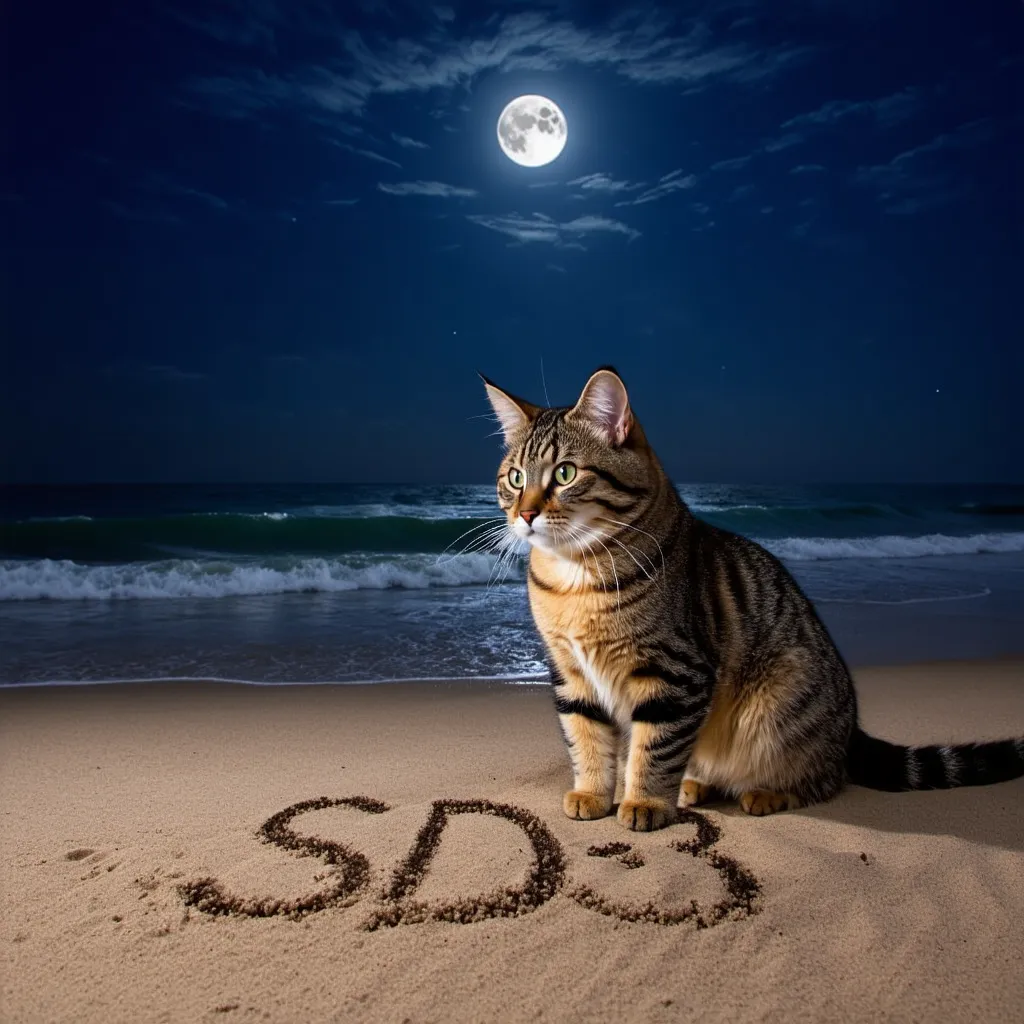
Generation Result
sd3_medium_example_workflow_basic.json
positive
A photo of a cat on the beach at night. The words ‘SD3’ are written on the sand. Moonlight shines brightly, casting a mystical glow over the scene. There are wisps of clouds in the sky, adding to the ethereal atmosphere. The cat is looking towards the ocean, and the waves gently lap at the shore. The entire scene feels magical and serene.
negative
blurry, low quality, distorted, unnatural, oversaturated
sd3_medium_example_workflow_multi_prompt.json
Can input separate prompts to 3 Text Encoders
- clip-l (CLIP-ViT/L)
- Model strong in search and classification
- It should be fine if inputting comma separated as before
- clip-g (OpenCLIP-ViT/G)
- Open source version of CLIP
- Strength is same as CLIP
- t5xxl (T5-xxl)
- Strong in natural language processing
- Sentence prompt likely good here
I tried inputting prompt used before divided into 3.
positive(clip-l)
Moonlight shines brightly, casting a mystical glow over the scene. There are wisps of clouds in the sky, adding to the ethereal atmosphere.
positive(clip-g)
The cat is looking towards the ocean, and the waves gently lap at the shore. The entire scene feels magical and serene.
t5xxl
A photo of a cat on the beach at night. The words ‘SD3’ are written on the sand.
Maybe because only T5 has large dimension, prompt input to T5 seems appearing strongly.
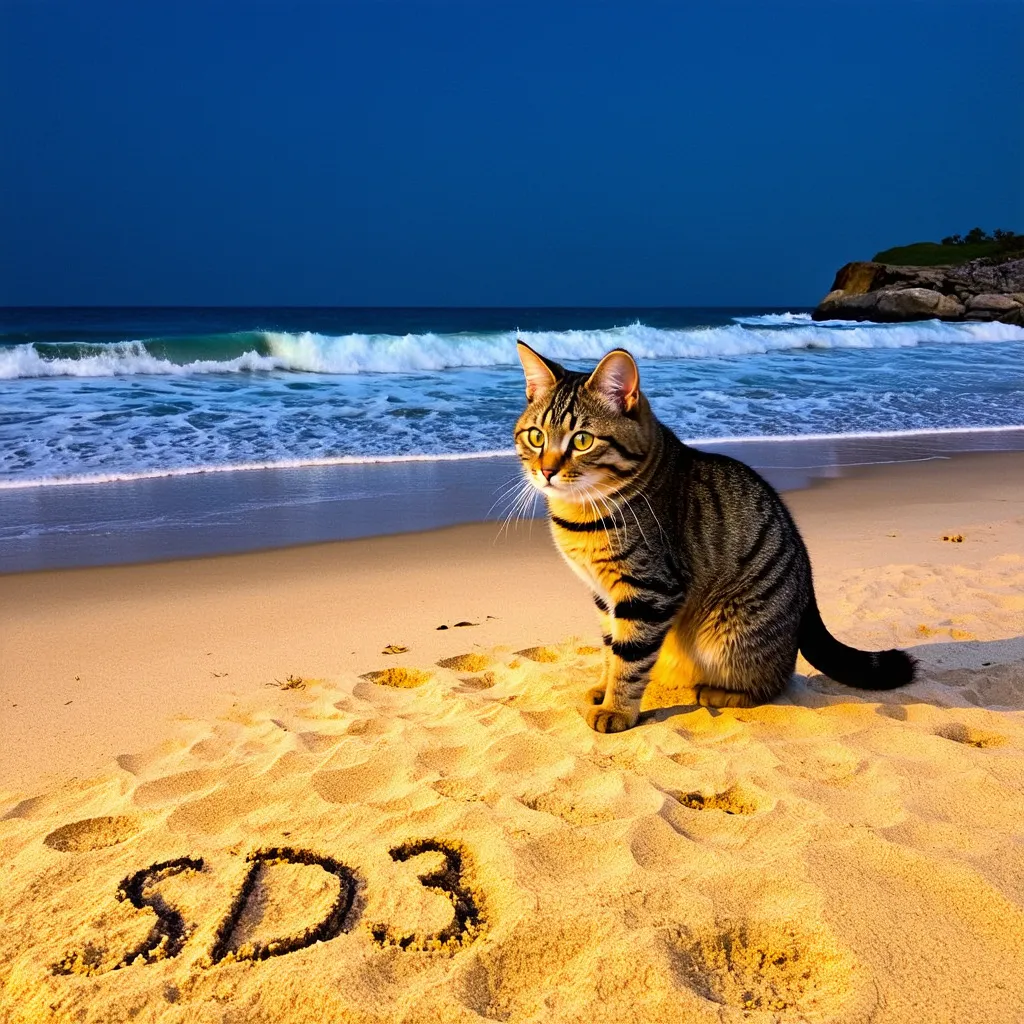
sd3_medium_example_workflow_upscaling.json
Workflow applying SD Upscale to generation result. Image of 2048x2048 can be generated.

Conclusion
While there are points to be worried about such as generation speed and precision of character generation, overall precision seems improved. Since fine-tuned models and model extensions like LoRA will come out from now, I want to wait looking forward to it.
Those who want to try techniques like LoRA with conventional models, please utilize link collection below.
>-