It seems that an open-source image generation model called Flux.1 has been released recently, so I will try it with ComfyUI.
About Flux.1
Overview of Flux.1
It is a new image generation model developed by BlackForestLab. The source code is published below, but no paper seems to have been released yet (as of 2024/08/17).

Official inference repo for FLUX.1 models. Contribute to black-forest-labs/flux development by creating an account on GitHub.

There are three types of pre-trained models:
- pro: The highest performance model. Weights are not public.
- dev: Distilled from the Pro model using Guidance Distillation. Weights are public.
- schnell: Distilled using Guidance Distillation and Step Distillation. A Dev model capable of generating with fewer steps. Weights are public.
Note: Guidance Distillation is training to mimic the output of a high-performance model. In this case, the output of Pro acts as the ground truth, and the model is trained to approximate it.
Note: Step Distillation involves learning while gradually increasing the complexity of the training data. Since there is no paper explaining the specific steps taken to learn, the concrete parts are unknown.
Flux.1 Architecture
Describing it based on Stable Diffusion, it changes the TextEncoder of StableDiffusion to T5+CLIP (same as SD3) and changes the reverse diffusion part to a unique DiT (Diffusion Transformer).
Someone on reddit created a diagram from the source code, so I’ll link it. Since there is no paper, the specific philosophy is unknown, but unlike structure like SD3 where simple blocks of one type are stacked, it seems to have a structure where multiple types of blocks are combined and stacked.

Steps to Try in ComfyUI
I will try the ComfyUI official example below.
Examples of ComfyUI workflows
1. Install ComfyUI
Install ComfyUI. If you have already installed it, please update ComfyUI to the latest version.

>-
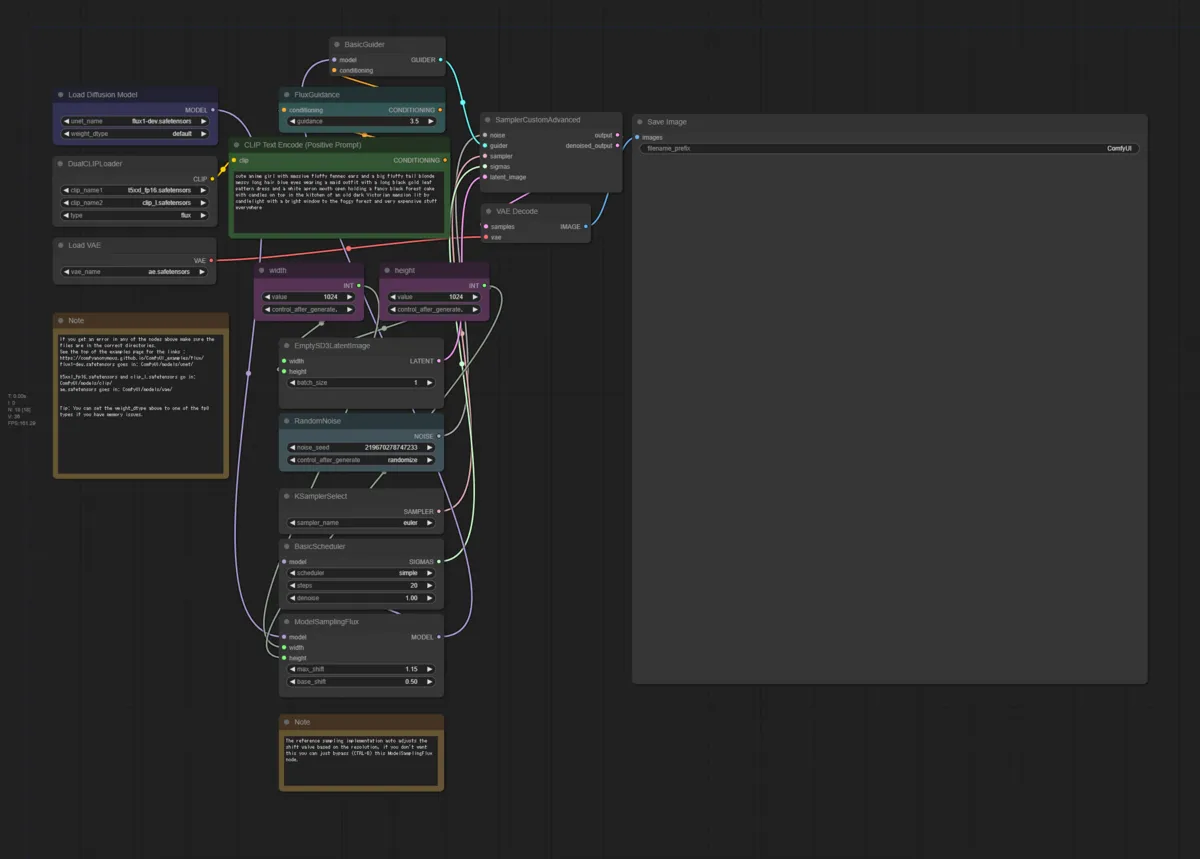
2. Import Workflow
Drag and drop the image on the page below into the ComfyUI web application. The workflow will be loaded.
Examples of ComfyUI workflows
There are 4 images, which are workflows for:
- Flux Dev(fp16)
- Flux Flux Schnell(fp16)
- Flux Dev(fp8)
- Flux Schnell(fp8)
fp8 is processed in 8bit space and fp16 in 16bit space, so fp8 has lower computational cost and smaller model size. Exceptional households might handle fp16 (model size is an astonishing 24GB), but for those without such high specs, let’s go with fp8 (this one is also 16GB).
3. Download Models
Download the necessary models and place each in the ComfyUI directory.
- Flux Dev(fp16)
- Flux Schnell(fp16)
- Flux Dev(fp8)
- Flux Schnell(fp8)
- text encoder
- vae





4. Generate
Select the model and generate.
Generation Results
Generation Result 1 – Flux Schnell(fp8)
Prompt:
Two anime-style schoolgirls standing together in a school setting. The first girl has her hair tied in a high ponytail with a red ribbon and is wearing a sailor uniform. She is holding a piece of paper with the text ‘Flux.1’ written on it. The second girl has her hair in a side tail and is dressed in a sweater. She is holding a signboard with the text ‘Future of Diffusion Model’. The background features a typical Japanese school with classrooms and hallways, filled with natural light. The atmosphere is lively and full of school spirit.
Schnell seems to have sufficient generation capability.

Generation Result 2 – Flux Dev(fp8)
Prompt (same as above):
Two anime-style schoolgirls standing together in a school setting. The first girl has her hair tied in a high ponytail with a red ribbon and is wearing a sailor uniform. She is holding a piece of paper with the text ‘Flux.1’ written on it. The second girl has her hair in a side tail and is dressed in a sweater. She is holding a signboard with the text ‘Future of Diffusion Model’. The background features a typical Japanese school with classrooms and hallways, filled with natural light. The atmosphere is lively and full of school spirit.
Dev takes longer due to more steps, but it generates text perfectly.

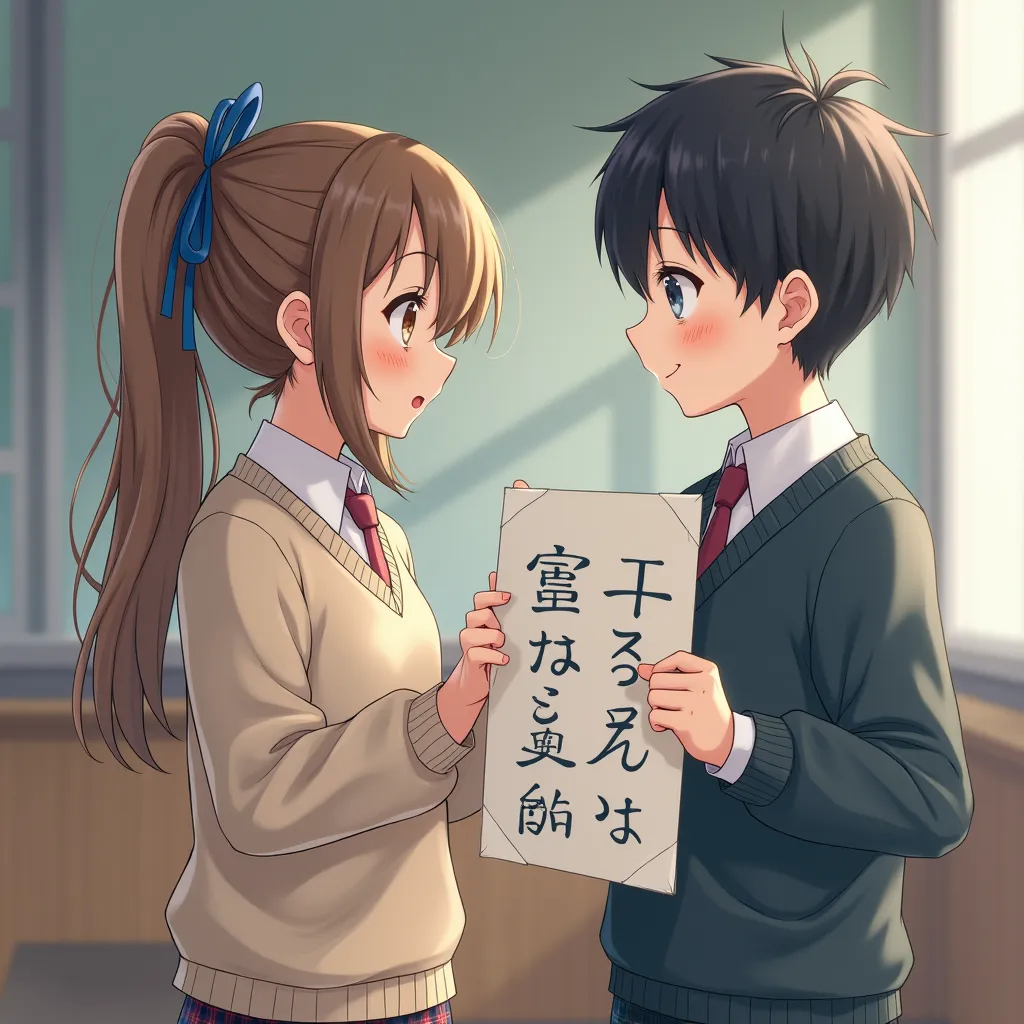
Generation Result 3 – Flux Dev(fp8)
Prompt:
Two photorealistic schoolgirls standing together in a Japanese school setting. The first girl has her hair tied in a high ponytail with a red ribbon, wearing a sailor uniform. She is holding a piece of paper with the text ‘Photorealistic’ written on it. The second girl has her hair styled in a side tail and is dressed in a cozy sweater. She is holding a signboard with the text ‘Future of Diffusion Model’. The background showcases a modern Japanese school with detailed classrooms, polished floors, and bright natural light streaming through large windows. The scene captures a realistic and vibrant school atmosphere.
This is a failure case. Wait, what is written there…
Generation Result 4 – Flux Dev(fp8)
Prompt:
A grand, ethereal landscape bathed in the golden light of a setting sun. Towering, ancient mountains draped in snow loom in the background, their peaks touching the clouds. In the foreground, a crystal-clear river winds through a lush, verdant valley, reflecting the vibrant colors of the sky. Majestic trees with twisted, ancient trunks and branches full of colorful autumn leaves line the riverbank. A solitary figure stands on a large rock in the river, wearing flowing, ornate robes that ripple in the gentle breeze. The figure holds a staff crowned with a glowing gemstone, casting a soft light. The sky above is filled with swirling clouds and distant stars beginning to twinkle as dusk approaches. The overall atmosphere is serene, yet awe-inspiring, with intricate details in every element, from the texture of the rocks and trees to the shimmering reflections in the water.

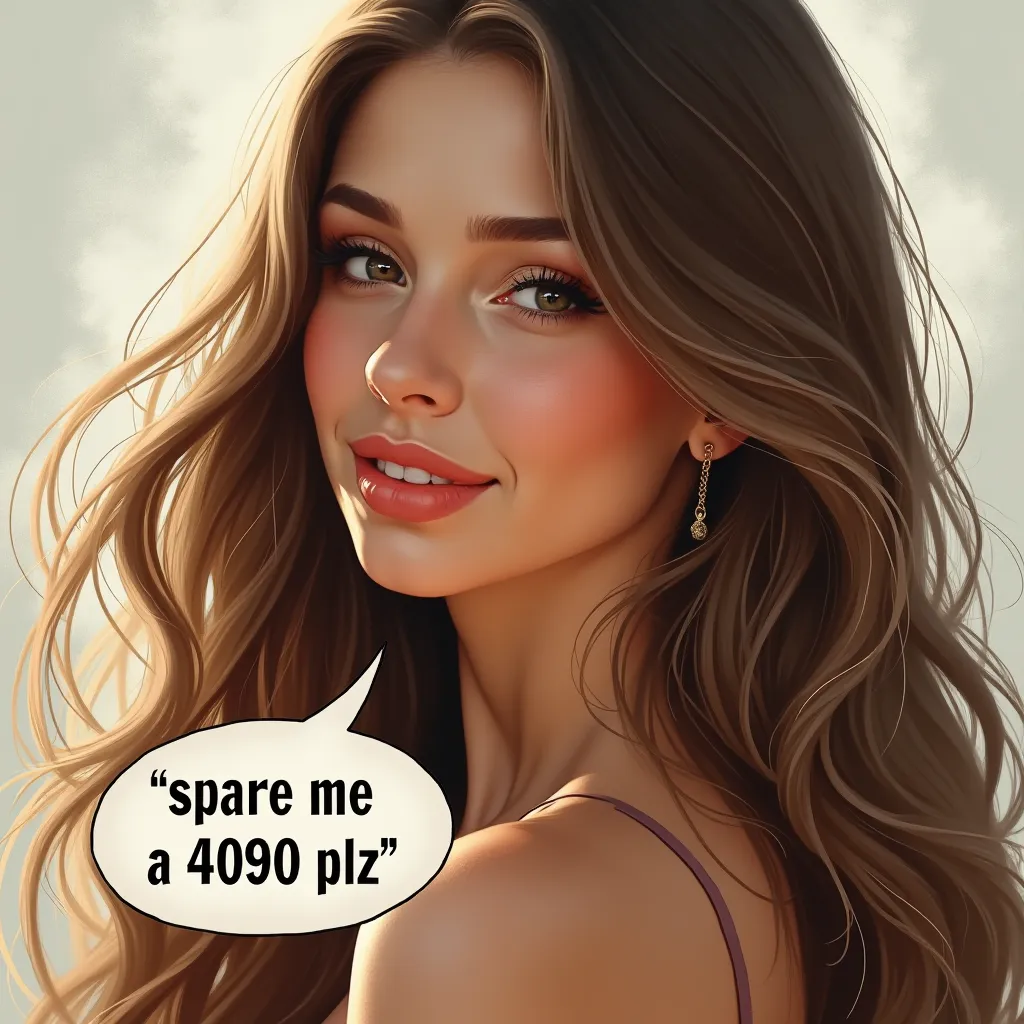
Generation Result 5 – Flux Dev(fp8)
Prompt:
A highly detailed and realistic portrait of a stunningly beautiful woman with long, flowing hair, soft and flawless skin, and captivating eyes. She is looking slightly to the side, with a gentle smile on her lips. The background is soft and blurred, focusing all attention on her. A speech bubble is placed near her mouth, with the text “spare me a 4090 plz” in a playful and stylish font.
Generation Result 6 – Flux Dev(fp8)
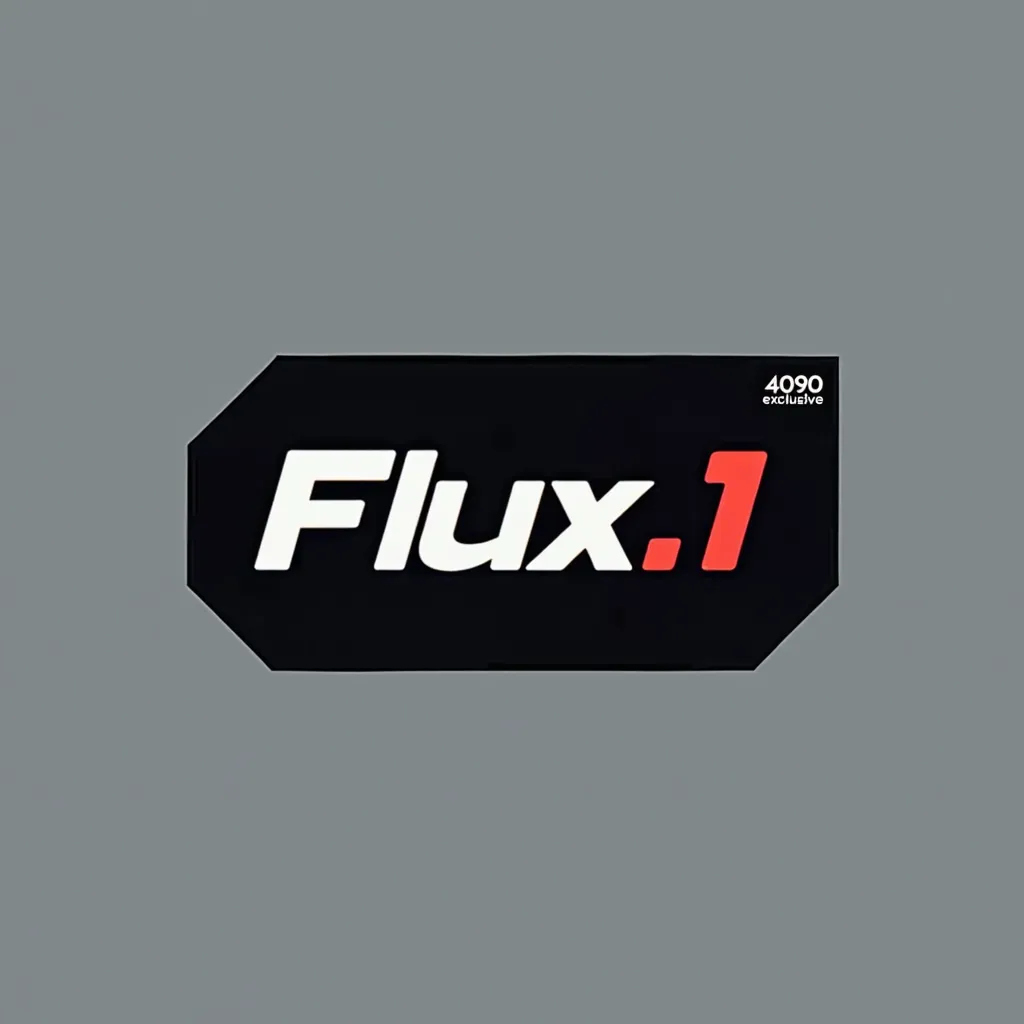
Prompt:
A sleek and modern logo with the text “Flux.1” prominently displayed in bold, futuristic font. The text “Flux.1” should be the main focus, large and centered. In the corner or along the edge, include the text “4090 exclusive” in a smaller, subtle font. The overall style should be minimalistic, with a high-tech, cutting-edge design.
Can also make logos that look like it.
Conclusion
The fp16 model size of 24GB really feels like it’s saying “use a 4090”…
I was able to try the fp8 (16GB) on my environment (VRAM 8GB + RAM 16GB), so if you have similar specs, don’t be discouraged by the required specs for fp16 and try the fp8 model.