Today I will try to upscale images using a method called Hires.fix. Hires.fix is one of the methods to upscale images generated from Stable Diffusion models to high resolution. By using this method, it becomes possible to generate high quality images in a short time.
In this article, after briefly investigating what Hires.fix is, I will actually generating images using Hires.fix in ComfyUI.
What is Hires.fix
Hires.fix of Stable Diffusion is a feature aimed at increasing resolution of generated images as explained in overview. Usually, generated images have relatively low resolution and lack details. Hires.fix is a method to make such images higher resolution and clear details.
Process Flow
- Generation of low resolution image:
- Generate low resolution image through normal generation process.
- Upscaling:
- Enlarge generated low resolution image to high resolution using specific algorithm.
- Completion of details:
- Perform image2image on image from 2 using same model and prompt as 1.
Merits
- Shorten time to generate high resolution images
- Generate images with detailed features
Generation Steps
Installation of ComfyUI
Please refer to this article.

>-
Create Workflow
For understanding, I will add to default workflow myself.
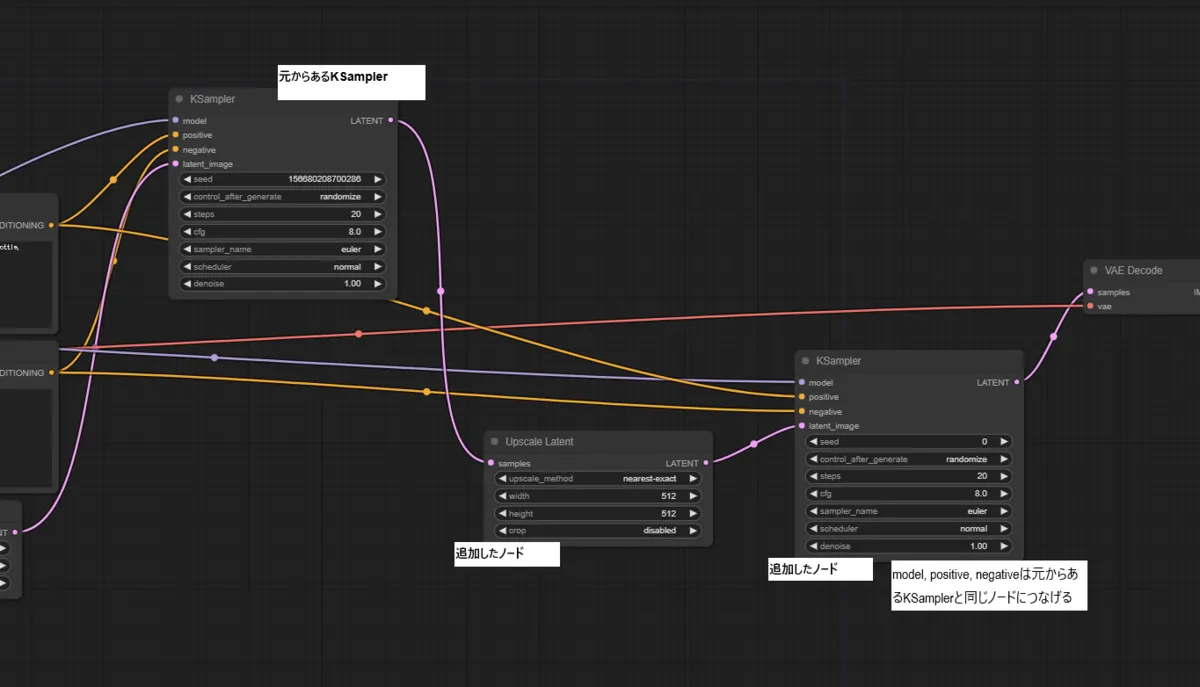
Load Defaultto return workflow to default- Add
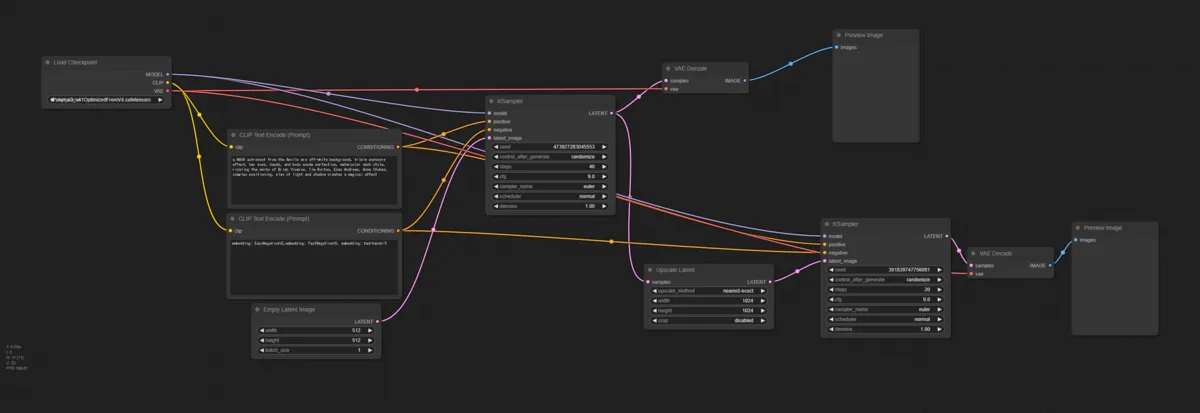
Upscale Latentnode andKSamplernode - Connect as shown in figure
- Connect model, positive, negative of right KSampler to same nodes as left KSampler model connects to
Generate
- Set width and height of
upscale latentnode larger than width and height set inEmpty Latent Imagenode- For now I set to 1024x1024
- Set other models or prompts as you like and press
Queue Prompt.
Generation Result

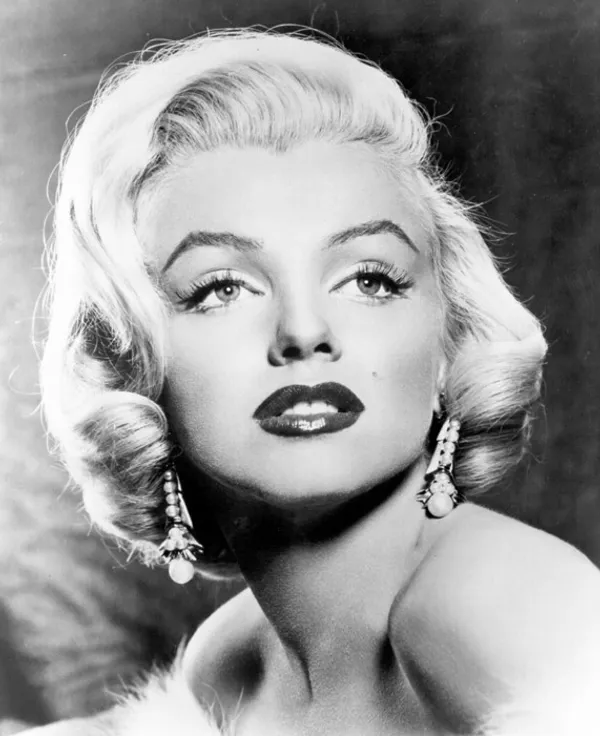
I paste images before and after hires.fix below. Especially eyes part is noticeable, but you can see details are added while upscaling.
Before hires.fix

After hires.fix

Conclusion
Looking at the workflow actually created, you can see the flow of Hires.fix process.
- First, generate low resolution image with first KSampler.
- Next, increase resolution using algorithm (upscale_method) with Upscale Latent.
- Finally, using image created in 2 as input, generate new high resolution image with second Ksampler.
You can understand it is following the flow explained in previous section. I think it is one of the merits of using ComfyUI that mechanism is easy to see from workflow like this.
If you want to try other techniques related to image generation, please utilize the link collection below.
>-