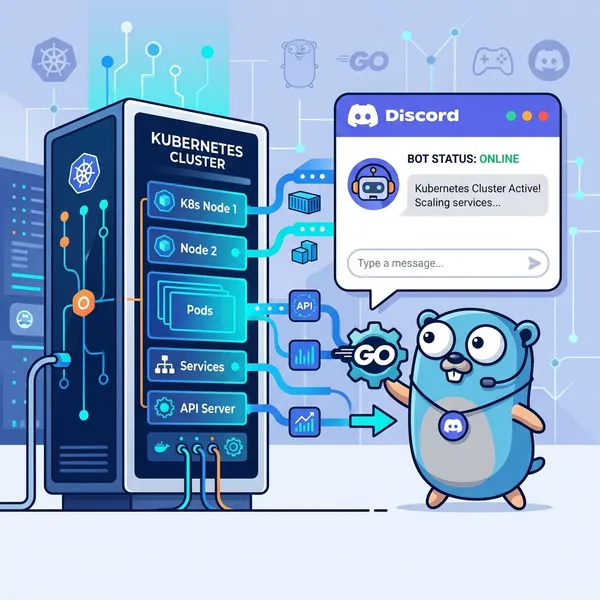
You know how a Pod on the homelab just silently dies when you’re not looking? Leaving it is bad for your sleep, so you end up doing the full cycle — tail the logs, find the cause, fix values.yaml, push, wait for ArgoCD to sync — and it’s just tedious enough to be annoying every single time.
So I automated the whole thing using Claude Code’s skill feature. Invoking /k8s-ops lets Claude autonomously diagnose, identify root causes, propose fixes, and execute repairs on the cluster. I also built a separate /inference-tune skill for LLM performance tuning. Real-world TPS for Hermes (the AI agent) eventually went from 21 t/s to 32+ t/s. Here’s how it works.
What Claude Code Skills Are
Claude Code supports a skill (slash command) mechanism. Place a SKILL.md file at .claude/skills/<name>/SKILL.md inside your project and it becomes callable as /<name> within that project. Placing it at ~/.claude/skills/ instead makes it available globally across all projects.
The key piece is the allowed-tools frontmatter field, which explicitly limits which CLI tools the skill can use.
---name: k8s-opsallowed-tools: Bash(~/bin/kubectl *) Bash(kubectl *) Bash(bash /home/yamato/otama-homelab/.claude/skills/k8s-ops/scripts/*) Read---The k8s-ops skill only allows ~/bin/kubectl (a pinned binary at v1.36.1) and the pre-written diagnosis and ops scripts. File writes and arbitrary shell commands are off-limits, so Claude cannot do anything unexpected.
k8s-ops Skill Layout
.claude/skills/k8s-ops/├── SKILL.md — skill definition, cluster info, operation flows└── scripts/ ├── k8s-diagnose.sh — cluster-wide health check across all namespaces ├── k8s-ops.sh — safe wrapper for Pod ops and ArgoCD operations └── k8s-node-resources.sh — node / VRAM / inference speed summaryCredentials are at fixed paths so they’re automatically picked up at runtime.
| Item | Value |
|---|---|
| KUBECONFIG | ~/.kube/config |
| api-server (pointed at master node) | 192.168.100.151:6443 |
| kubectl | ~/bin/kubectl (v1.36.1) |
Safety Harness Design
Since I’m letting Claude operate the cluster, I need to manage the risk of accidental changes. The SKILL.md explicitly documents risk levels, and Claude is expected to follow a confirmation flow before acting.
| Level | Mark | Example ops | How it runs |
|---|---|---|---|
| SAFE | 🟢 | get / describe / logs / top / diagnose | Automatic — no confirmation |
| MODERATE | 🟡 | Pod restart / rollout restart / scale | Show proposal → confirm once |
| HIGH | 🔴 | Force delete / resource delete / cordon | State action + impact → confirm |
| CRITICAL | ⛔ | node drain / namespace delete | Double confirm + explain blast radius |
Cluster Overview
Three-node k3s setup.
k3s-01 control-plane 192.168.100.151k3s-02 worker 192.168.100.152k3s-03-ai worker/AI 192.168.100.104 (AMD Radeon GPU, 96 GB VRAM)k3s-03-ai runs a Strix Halo (Ryzen AI MAX+). Of the 128 GB of physical memory, 96 GB is allocated to the GPU as VRAM and the remaining 32 GB is used as CPU RAM. This is the node that ate three days of my life with the MES firmware bug I wrote about earlier in this series.
I covered the full namespace layout in an earlier part of this series, so here are just the two that matter for this story:
| Namespace | Role |
|---|---|
| inference | AI inference (lemonade / litellm / comfyui / qdrant) |
| argocd | GitOps (ArgoCD) |
Day-to-Day Usage
Diagnosis
Typing /k8s-ops check the cluster state triggers Claude to run k8s-diagnose.sh and summarize the results. If any Pods are unhealthy, Claude ranks them by priority and reports back.
Repair
When Claude detects a CrashLoopBackOff, it reads the logs and identifies the cause. If it’s a ConfigMap misconfiguration causing a connection failure, Claude pinpoints it, proposes the fix, and waits for confirmation before executing.
I no longer need to manually grep through logs chasing a root cause. Once I notice a Pod is down, I invoke /k8s-ops and just approve the proposed fix.
inference-tune Skill
With cluster diagnostics and repair mostly automated through k8s-ops, I built a second skill for a different kind of problem: inference speed.
.claude/skills/inference-tune/├── SKILL.md — workflow and parameter reference├── KNOWLEDGE.md — accumulated findings and baseline TPS measurements├── TASKS.md — task status and progress tracking└── scripts/ └── check-perf.sh — inference speed, VRAM, MTP status checkTuning Workflow
Invoking /inference-tune has Claude follow this sequence:
- Read
TASKS.mdto resume from where the last session left off - Read
KNOWLEDGE.mdto check already-investigated issues and known limitations - Run
check-perf.shto measure current TPS, VRAM usage, and MTP status - Propose
values.yamlchanges - Run git commit → push → ArgoCD refresh/sync
- Re-check performance to confirm the effect
- Write results back to
KNOWLEDGE.md
The KNOWLEDGE.md layer exists to avoid investigating the same thing twice. Parameters that had no effect and lemonade’s known limitations are all recorded there. On the next session, Claude reads it first and picks up where the last investigation left off.
The ArgoCD Constraint
Nearly every Deployment in this cluster is managed by ArgoCD. Applying kubectl patch directly works, but ArgoCD will overwrite it on the next sync. Any tuning parameter that needs to persist must go through values.yaml → git push → ArgoCD sync. I use direct patches only for temporary debugging, never for permanent changes.
What Claude Found and Fixed Autonomously
Each time I invoke /inference-tune, Claude reads KNOWLEDGE.md, diagnoses, edits values.yaml, deploys via ArgoCD, and writes results back — I just approve at each step. Here’s what actually surfaced across those sessions:
The first thing that surfaced was Hermes’s 17K-token base context. Tool definitions and the system prompt ride along on every request, so even though the short-context benchmarks hit 50+ t/s, real-world TPS was already only ~21 t/s from the start. That gap between the benchmark and the lived experience was the root cause.
Next, MTP was being enabled the wrong way. Writing --spec-type draft-mtp in llamacppRocmArgs gets silently ignored by lemonade; the correct method is attaching an "mtp" label at lemonade pull time, set via the labels: field in inference/values.yaml. That pushed short-context benchmark TPS from 47–48 to 57–58 t/s (~20%), but with the 17K base baked in, the real-world impact was limited.
Tool disabling turned out to be silently broken too. disabledToolsets had video_generate when the correct value is video_gen, so it had been enabled the whole time. I fixed that along with similar typos and removed 7 unnecessary toolsets and 24 skills, saving roughly 2,600 tokens — though that still wasn’t enough to break the fundamental 17K ceiling.
The trickiest one was compression. Hermes has a feature that compresses old messages when the conversation grows long, but it was completely inert. The first attempt, compressionThreshold: 0.25, never triggered because the 17K base already exceeded the threshold. Bumping it to 0.28 hit a noop bug instead, and context ballooned from 17K to 51K, dropping TPS to 11 t/s. Eventually the parameter was tuned to fire correctly and real-world TPS stabilized at 32–35 t/s. The catch is that the threshold assumes a specific base size, so when the tool configuration changes the condition breaks — several more re-tuning passes have been needed since.
There was an API timeout, too. Pod restart prefill takes about 2 minutes, but the timeout was the default 120 seconds. Claude traced the config.yaml setting and found it wasn’t wired to the actual httpx client, then added the right environment variable to the Deployment to fix it.
The last one was VRAM pressure evicting models. Running 35B (52 GB) and 26B (27 GB) simultaneously exceeded the 64 GB VRAM ceiling, causing a model reload wait on every request. Expanding VRAM to 96 GB in BIOS solved it; now 35B, 26B, 4B, and Embedding all stay loaded at once.
All of this — including smaller fixes not listed here — was handled by Claude across multiple sessions via /inference-tune. Because KNOWLEDGE.md records what didn’t work, each new session skips the already-confirmed dead ends and moves to open questions. Not having to maintain my own investigation notes by hand is the biggest quality-of-life win.
Summary
Since adopting the k8s-ops skill, Pod failures feel much less stressful. Claude handles diagnosis and repair proposals almost entirely autonomously; I just approve.
The inference-tune skill started as “I want more TPS,” but Claude ended up surfacing and fixing the compression bug, the timeout, and the VRAM issue along the way. What I actually did was “approve” and “change a BIOS setting.”
Writing SKILL.md and KNOWLEDGE.md in plain Markdown gives Claude a working manual and investigation notebook in one. The fact that it gets smarter the more you use it is what I like most about this setup.
Hope this is useful to anyone running a similar homelab with Claude Code.