I’ve written about my home network environment before, but as parts of it have been updated bit by bit, I thought it was time to organize and document it again. It’s easy to settle for “it works, so it’s fine” and leave it alone, only to find yourself pale-faced when something breaks and you can’t remember how it was set up. To avoid that, and as a personal memo, I’m sharing the current architecture.
In terms of security… it should be fine. Mostly.
Assumptions and Constraints
First, here are the “non-negotiable constraints” and “compromises” in my home network.
- Rental Apartment / No Fixed IP: The basics. The IP assigned by the ISP changes, and I have no intention of making this a public server anyway. It’s only accessible via VPN (I use Netbird).
- Router is YAMAHA RTX830: Reliable and proven. However, due to the IPv6 RA (Router Advertisement) specification where only one prefix is provided (or is it an ISP-side spec?), trying to split subnets with VLANs makes IPv6 distribution a nightmare.
- Simplification of Troubleshooting: If I get too fancy with VLANs and complex routing, I’ll be in despair when the internet goes down at midnight. I want to avoid “factory reset and start from scratch” at all costs. Therefore, the L3 (routing) level is kept flat, with separation handled at L2 or the container level.
Network Diagram (Physical / Network Layer)
The physical and network layer configuration looks like this.
It’s a flat 192.168.100.0/24 network, but loosely zoned by connection type (wired/wireless) and role.

Simple, right? An L2 switch (SWX2210-8G) hangs under the YAMAHA RTX830, and server groups are connected via wire, while client groups are connected via AP from there.
My Obsession Here: It looks like a flat network at a glance, but actually, I set up Multiple VLANs on the switch (SWX2210) side. Essentially, I’ve created a state where “You can talk to the router, but you can’t talk to the port next to you.”
Server / Virtualization Infrastructure (Compute / Logical Layer)
Here is the main topic. The compute layer which I intentionally made into a Matryoshka doll configuration (nested) for operational efficiency, and the external coordination flow.
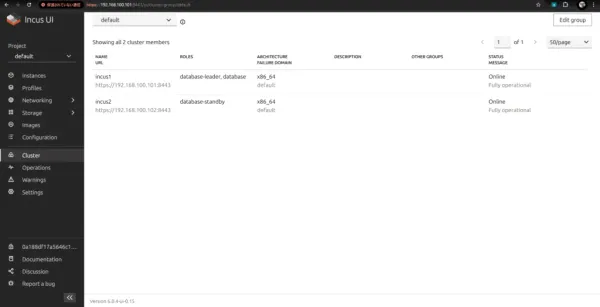
The OS is Ubuntu 24.04. On top of that, I use Incus to provision system containers (LXC), and build a MicroK8s Kubernetes cluster inside them.
“Why system containers instead of VMs or Bare Metal?” The answer is overwhelming lightness and ease of operation. With Incus, you can carve out environments without dirtying the host OS, and if something happens, you can restore from a snapshot instantly. It’s also convenient for isolating things like Gitea Runners that “I want to place outside K8s but don’t want to dirty the host with.”

Commentary on Obsession Points
I will supplement a few “core” parts of this configuration.
1. Solution to Internal DNS (PowerDNS + ExternalDNS)
The common HomeLab problem: “What to do with internal DNS.” I think writing /etc/hosts is defeating the purpose, so I stand up PowerDNS inside K8s (exposed at .254 via MetalLB).
The mechanism:
- ExternalDNS watches Ingress resources. When it detects a hostname like
*.home.local, it automatically registers the record to PowerDNS. - In YAMAHA RTX830’s DNS settings, configured to forward only queries for
*.home.localto.254(PowerDNS). - This makes domain names accessible from any terminal in the house without special settings.
2. Automation of SSL Certificates (Cert-Manager + Cloudflare)
Browser warnings for self-signed certificates are annoying, so I get legitimate certificates via Let’s Encrypt. However, since it’s a server accessible only from inside the house, I can’t use HTTP-01 authentication (exposing port 80). So, I carve out a subdomain of my Cloudflare-managed domain for home use and use DNS-01 authentication. Cert-Manager hits Cloudflare’s API to rewrite TXT records, automatically issuing and renewing certificates without external exposure.
3. External Access (Netbird)
When I want to access from outside, I use a VPN called Netbird.
I run netbird-operator on Kubernetes, and this guy acts as the gateway.
DNS is the key here too; utilizing Netbird’s “Magic DNS” setting, I advertise the route to use my home PowerDNS (.254) for resolving the home domain.
This allows me to connect to services with the exact same URL (https://grafana.home.local etc.) as when I am at home, just by connecting the VPN from outside. The experience is supreme.
4. Secret Management (ExternalSecrets + Infisical)
I don’t want to commit Secrets like passwords and API keys to the Git repository. So I self-host Infisical on the NAS, and configure ExternalSecrets Operator on K8s to pull values from there and generate K8s Secrets. However, currently, SSL certificate management on the NAS side is manual (painful), and the DB is Docker on NAS, so this part remains a bit of legacy operation, which bothers me. I have ambitions to move Infisical itself to K8s, but I hesitate because it seems like a chicken-and-egg problem (Where do I put the Secret to start Infisical?).
Operation of K8s
I do GitOps with ArgoCD. Dependencies between apps (like wanting to start the app after the DB stands up) have become complex, so I intend to utilize ArgoCD Sync Waves etc. to beautifully manage deployment order in the future.
Gitea is overworked not only for source code management but also as a Docker Registry. Images customized for local use are pushed here and Pulled from K8s. It feels good that the home development ecosystem completes here.
It might look like “overkill for a hobby,” but thanks to various automation mechanisms meshing together, once built, daily operation becomes surprisingly easy.