Recently, I started thinking “I want to try GitOps-like operation soon.” Doing kubectl apply manually is honestly getting tedious…
So, I thought “Let’s take the first step of GitOps using ArgoCD!”, but the hurdle of introduction felt a bit high and I was dragging my feet.
This time, I will try simply “installing ArgoCD just with commands and making GUI accessible from local”. Bootstrapping, repository addition etc. will be in another article! I will proceed with the shortest distance aiming first to see ArgoCD’s face.
Prerequisites
Assume kubernetes is already introduced. If not yet, refer to below etc.

>-
Procedure
Introduce ArgoCD
Use helm to make it easy.
Ref: https://github.com/argoproj/argo-helm/tree/main/charts/argo-cd
kubectl create namespace my-namespace
helm repo add argo https://argoproj.github.io/argo-helmhelm install argocd argo/argo-cd --namespace argocd
Change ArgoCD Service type to NodePort
Modify manifest via CLI.
kubectl get svc argocd-server -n argocdModify following parts. If port number is omitted, it’s automatically assigned.
spec: ports: - name: http nodePort: 30992 # Add line (Optional) port: 80 protocol: TCP targetPort: 8080 - name: https nodePort: 30080 # Add line (Optional) port: 443 protocol: TCP targetPort: 8080 type: NodePort # Change from ClusterIPNote: Default editor is vim, so if not used to it, good luck. I feel you can edit if you grasp at least below.
- i Move to edit mode
- esc Exit edit mode
- :w Save
- :q Quit editor
- :wq Save and Quit
- :q! Force Quit
Access GUI
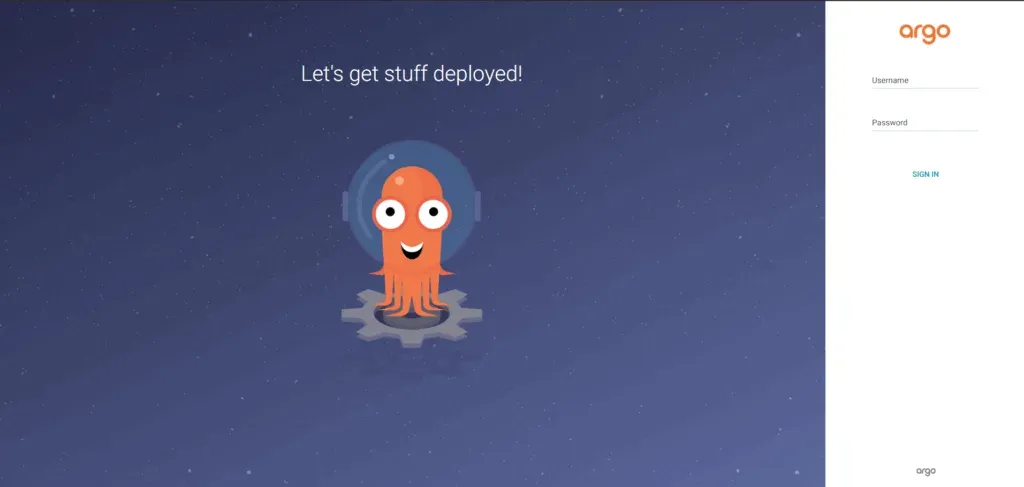
Access https://{Node_IP_Address}:30080 from browser. Since it’s self-signed certificate, warning appears upon connection but ignore it. If screen like below appears, success.
Try Logging In
Get initial password for admin
kubectl -n argocd get secret argocd-initial-admin-secret -o jsonpath="{.data.password}" | base64 -dLogin
Login with following info
- user: admin
- password: Password obtained earlier
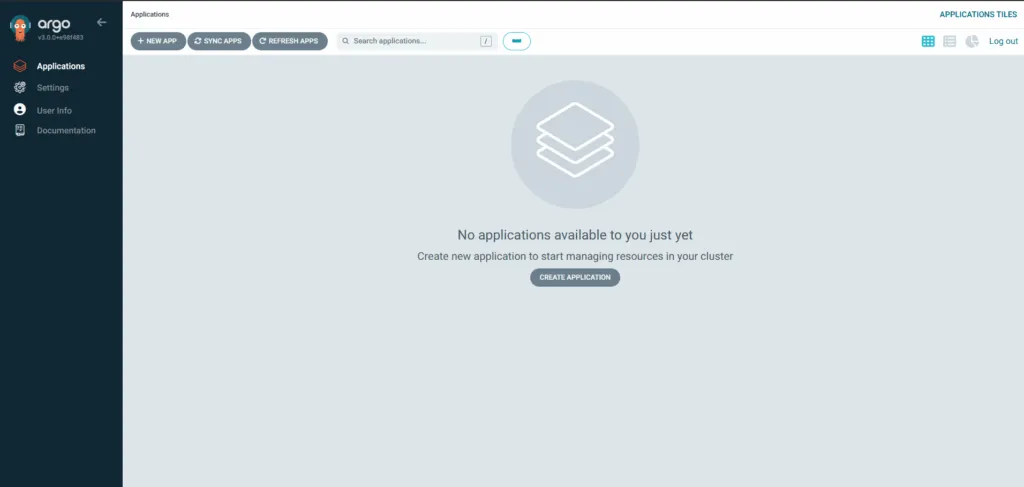
Points of Concern
Redirects to example.argocd.com after logout
Since there is a setting item in configmap, modify it.
kubectl edit configmap argocd-cm -n argocdChange following part to actual value.
data: # Change from https://argocd.example.com url: https://{Node_IP_Address}:30080Conclusion
So, this time I tried up to touching ArgoCD locally for now just with CLI. Install with Helm, make Service type NodePort, access GUI. If you can pick up login info and enter the dashboard, I think you can call yourself “ArgoCD User” (probably).
There are still many “things I want to do”, but I’ll pause here for now. I plan to write articles when I touch things like Bootstrapping or auto-sync of apps and think “Oh”, so please come play again if you like!