I’ve been thinking of building a new node specifically for light AI inference workloads, and I’ve been researching various machines. Right now, I’m leaning heavily towards a Strix Halo machine, with the GMKTek Evo-X2 being the top candidate. However, due to budget constraints, I’m quietly waiting for a sale.
Well, before welcoming a new node, there was a “verification” I really wanted to do.
Currently, my home Kubernetes cluster runs on a VM, but the resource overhead has always bothered me. So, to save as many resources as possible, I decided to test whether I could switch to a container-based (LXC) operation as one of my options. This is purely a verification; whether I’ll actually introduce it as my production environment is still undecided.
Initially, I thought about setting it up quickly with my familiar MicroK8s, but I was too naive. Because MicroK8s relies on Snap, running it in a container environment makes permissions and configuration extremely complicated—a classic trap.
Since running the Snap version of MicroK8s inside LXC seemed quite troublesome, I decided to gracefully give up on MicroK8s this time. Instead, I moved to “K3s”, which runs as a single binary without the need for Snap. I figured it wouldn’t be too hard, since I should be able to reuse my K8s manifests as-is.
Incus Profile Configuration: Containers Inside a Container
To treat the container as a “first-class citizen” on the host machine, I created a dedicated profile on Incus. I’m assigning a static IP using cloud-init this time, but please adjust this according to your own environment.
By the way, I wrote about the specific method for building the bridge network (br0) on the host side (Ubuntu) in the following article, so please use it as a reference as well.

>-
The key point here is that because we are building a structure where containers (Pods) stand up inside an LXC container, we need to allow nesting and grant strong permissions. Since this is an “in-house Kubernetes” that will not be exposed to the public at all, I proceeded without worrying too much about detailed security. I’ll just monitor it slightly at best.
# -------------------------------------------------------------------# Profile for running K3s (Kubernetes)# -------------------------------------------------------------------
name: k3sdescription: Privileged/Bridge profile for K3s executiondevices:  # Passthrough /dev/kmsg, which Kubelet uses for log output and system state checking  kmsg:    path: /dev/kmsg    source: /dev/kmsg    type: unix-char  # Network settings (Connect directly to the host's L2 bridge br0)  eth0:    name: eth0    nictype: bridged    parent: br0    type: nic
# Container operation and security settingsconfig:  # Mandatory for running Docker or further containers (Pods) inside the container  security.nesting: "true"  # Enable privileged mode to allow deep operations on the kernel (iptables, mounts)  security.privileged: "true"
  # Specify kernel modules that should be loaded on the host side when the container starts  linux.kernel_modules: overlay,br_netfilter,ip_tables,ip6_tables
  # Static IP configuration for Ubuntu via cloud-init (applied on first boot)  cloud-init.network-config: |+    network:      version: 2      ethernets:        eth0:          dhcp4: false          dhcp6: true          addresses:            - 192.168.100.201/24          routes:            - to: default              via: 192.168.100.1          nameservers:            addresses:              - 192.168.100.1
  # Low-level LXC settings (removing standard restrictions so K8s can run)  raw.lxc: |    # Remove AppArmor limits, do not block system operations from within the container    lxc.apparmor.profile=unconfined    # Allow access to all devices (for cgroup v1)    lxc.cgroup.devices.allow=a    # Disable container capability limits (privilege drops) and maintain full privileges    lxc.cap.drop=    # Mount /proc and /sys with read-write access (mandatory to avoid Kubelet startup errors)    lxc.mount.auto=proc:rw sys:rw
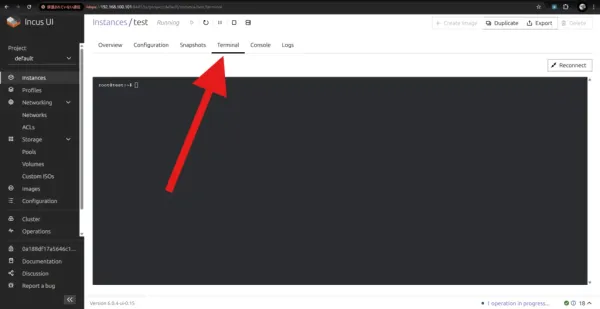
I created a container applying this profile and entered it.
incus launch images:ubuntu/24.04 k3s-test --profile k3sincus exec k3s-test bashNext, I installed K3s inside the container.
apt update && apt install -y curlcurl -sfL https://get.k3s.io | sh -Up to this point, everything went very smoothly.
Startup Options Specific to LXC
The installation seemed to have succeeded without issue. In high spirits, I ran kubectl get nodes, but the response was a merciless access denial error message.
After investigating, it turned out that I needed to modify some of Kubelet’s startup settings.
I edited /etc/systemd/system/k3s.service and appended the following arguments to ExecStart. The arguments here are an environment-specific workaround—following the official documentation alone won’t solve this.
ExecStart=/usr/local/bin/k3s \ server \ --kubelet-arg="protect-kernel-defaults=false" \ --kubelet-arg="make-iptables-util-chains=false"In a restricted environment like LXC, write permissions to the system are restricted from the host side, so we need K3s to relax its demands a little. This is definitely a pitfall unique to container operations.
I saved the settings and restarted the service.
systemctl daemon-reloadsystemctl restart k3sPost-Build Impressions
I ran the command again to check the operation.
kubectl get nodesThe letters Ready safely appeared. I’m glad it somehow worked.
Now I have a foundation that can reproduce K3s in an LXC environment at any time. It’s certainly overwhelmingly lighter than a VM, and in terms of resources, it’s more than excellent.
However, after running through the entire build process, I reconsidered.
While there is a slight memory advantage, the security benefits and the peace of mind of a VM, where the environment is completely isolated from the host OS, are hard to throw away. Given the nature of a home server/verification environment, there are many situations where a VM—which allows you to repeat the “creation and destruction” of environments without hesitation—is more convenient.
So, I will keep the K3s foundation on LXC as just one of my options to test, and for the time being, I plan to stick with my original VM operation. That said, the combination of Incus and K3s itself is very interesting, and I’m sure it will be highly active in environments where resources are extremely tight.