Introduction
Hey everyone, how do you manage your local development environments? I don’t know about you, but I honestly dislike how my local PC slowly turns into a chaotic mess with various tools and dependencies tangling up for every new project.
So, as a solution, I decided to build a “disposable remote dev environment” using Coder on my homelab Kubernetes. But when I first started thinking about the architecture, I had another little ambition: “I want to casually code from my phone while lying in bed or on the go, hitting Copilot CLI or Claude Code.”
However, the reality wasn’t that sweet. The code-server UI is hopelessly hard to read on a smartphone screen, and doing fine-grained terminal operations is just purely stressful. I’ve shelved the idea of mobile coding for now.
So, the landing point for this project is “an isolated development environment accessed via browser, allowing you to completely ditch the local setup.” I’m aiming for a pristine remote environment where the PC browser acts as the interface, keeping the local machine completely clean.
Installing Coder and Infrastructure Prep
As a prerequisite, I’m assuming you have a homelab Kubernetes (I’m using MicroK8s here) up and running. You’ll need PostgreSQL as a backend, but you can either spin it up inside a Namespace or use an external DB. Go with whatever fits your infrastructure situation.
I used ArgoCD and Helm for the deployment. No special tricks are required; you just pull the official Helm chart. For reference, here’s my base Chart.yaml. Feel free to configure the values.yaml however it suits your environment.
apiVersion: v2name: coderdescription: A Helm chart for Coder with custom homelab configurationstype: applicationversion: 0.1.0dependencies: - name: coder version: 2.30.0 repository: "https://helm.coder.com/v2"Since this is a disposable environment, I decided not to do any special storage provisioning and just used the Host’s storage as is. If you’re using MicroK8s, make sure you don’t forget to enable the addon with the microk8s enable hostpath-storage command. If you forget this, your Pods won’t start later, and you’ll end up endlessly scratching your head.
Environment Provisioning
Once the ArgoCD apply to k8s is complete, access the Coder GUI.
From the GUI, select the default k8s deployment template to create your dev environment. You can create custom templates later, but this is more than enough to start with.
If there are no misconfigurations, the server spins up immediately.
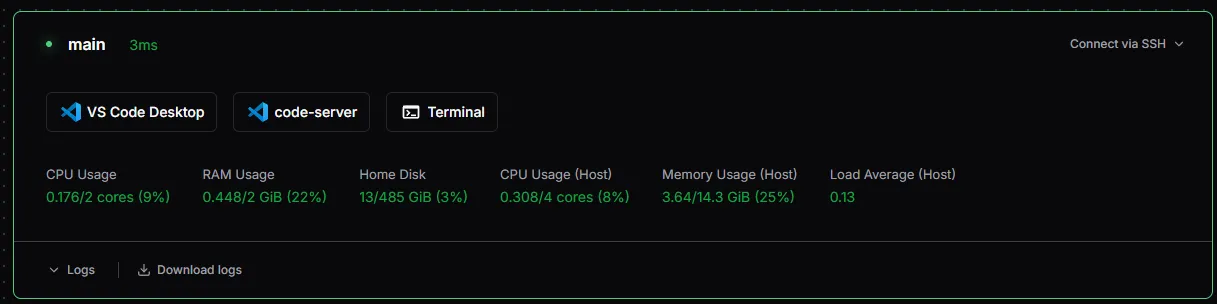
Clicking the “code-server” icon in your spawned environment slickly opens VS Code right in your browser.
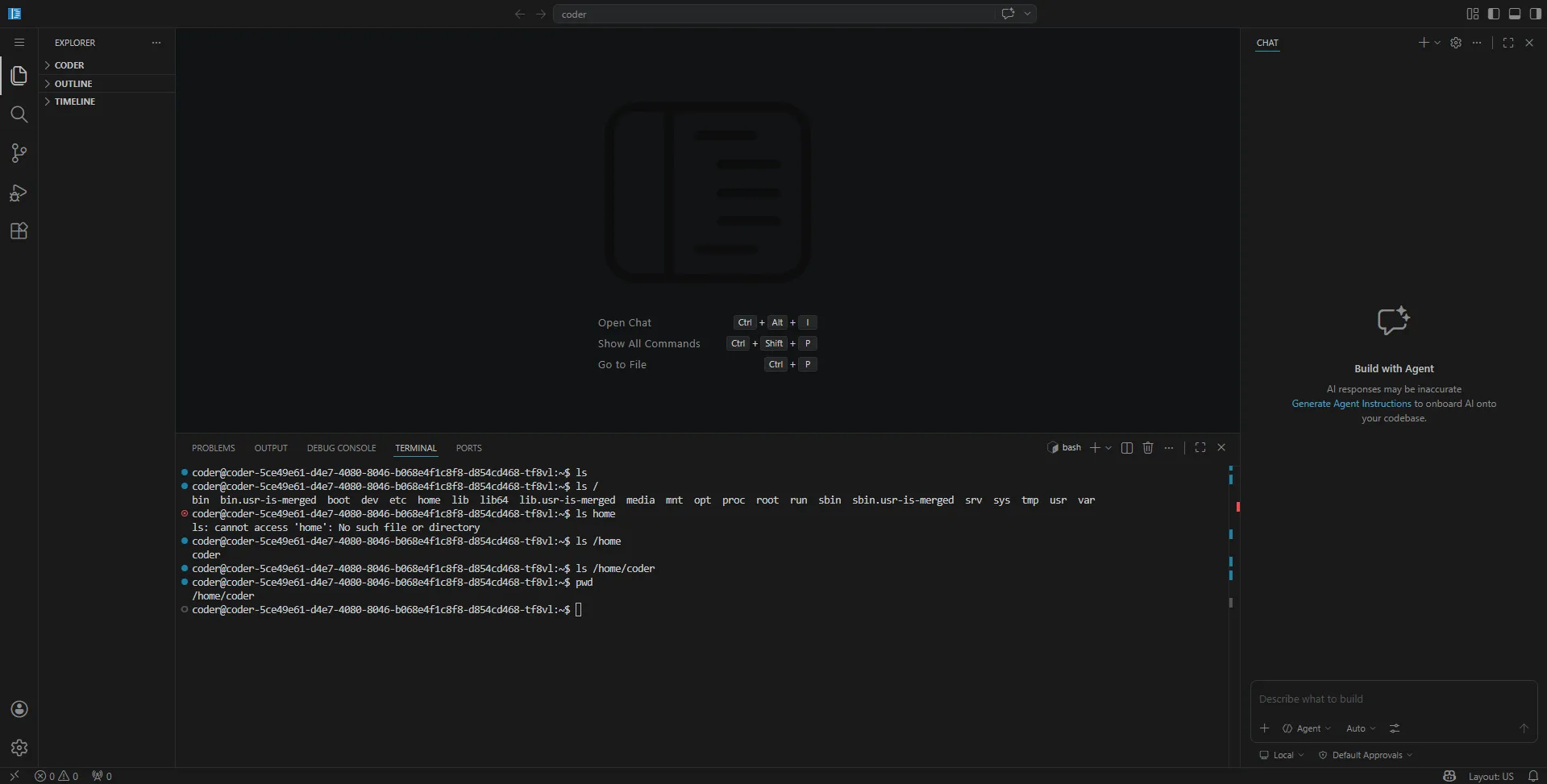
That pretty much wraps up the environment setup.
The Remote Development Experience
You hit the URL from your browser, pass the OIDC login, and hit Start—VS Code instantly pops up in your browser. This fluid sequence of events actually exceeded my expectations in a good way.
The performance was also better than anticipated. My rig uses a low-power N150-class CPU, but if you properly set resource constraints (Requests/Limits) on the k8s side, you get an editor experience that’s just as comfortable as a local PC.
However, as I kept running it, some very real challenges came to light. Having to redo the OIDC login and authenticate with GitHub from the terminal every time I spin up the environment is low-key annoying. Sure, it’s the flip side of having a “completely isolated, clean, disposable environment,” but having to manually pass authentication every single time is admittedly not very smart.
That being said, if you enable Auto-stop, the Pod disappears and the k8s resources are cleanly released once you’re done. This good behavior is a massive plus for a homelab k8s with limited resources.
Tips: k8s-Specific Troubleshooting
To save you from falling into the same traps during initial setup, here are two common k8s-specific errors I ran into.
Environment stuck on “Agent has not connected yet.”
Sometimes, even after the environment starts, it just freezes with this message. When this happens, the Coder web UI often won’t show you any error logs. Don’t waste time pondering over the UI; the quickest fix is to just run kubectl logs or yank the Pod logs directly from the ArgoCD GUI.
PVC gets stuck in “Pending”
This happens when the environment halts while trying to secure storage. It’s highly likely that your available StorageClass isn’t configured correctly, or an addon like the aforementioned hostpath-storage isn’t enabled. Checking your k8s storage provisioner settings should be the first thing you do.
The Twist (Conclusion) and a Demolition Notice
After spending all this time explaining the setup process, I’m honestly struggling to see a future where I fully utilize this, and I’m already thinking about blowing the whole thing up.
Right after I spun up my personal remote environment with Coder, I was super satisfied, thinking, “I’ve built the perfect isolated environment.” But then I took a step back and thought about the latest asynchronous AI agents like Copilot Agent, Claude Code, and Google Jules, and a fundamental question arose.
“In an era where AI agents autonomously write code asynchronously, what is the point of manually hosting a remote VS Code environment (code-server) on k8s and managing its lifecycle?”
I don’t want to reinvent the wheel, and infrastructure management costs should ideally be close to zero. While a clean environment that doesn’t pollute your local machine is definitely appealing, unless the division of labor with AI agents becomes clearer, there’s a strong chance this Coder setup on my homelab k8s will be retiring very soon.