I usually ask ChatGPT to quickly generate images, but today I will actually run the model locally to generate images. The only merit is saving one interaction with ChatGPT-4, and nothing else particular. Now that ChatGPT-4o is available with more credits than ChatGPT-4, there is almost no merit! But trying locally involves romance, so I will try it.
What is SD-Turbo?

We’re on a journey to advance and democratize artificial intelligence through open source and open science.


We introduce Adversarial Diffusion Distillation (ADD), a novel training approach that efficiently samples large-scale foundational image diffusion models in just 1-4 steps while maintaining high image quality. We use score distillation to leverage large-scale off-the-shelf image diffusion models as a teacher signal in combination with an adversarial loss to ensure high image fidelity even in the low-step regime of one or two sampling steps. Our analyses show that our model clearly outperforms existing few-step methods (GANs, Latent Consistency Models) in a single step and reaches the performance of state-of-the-art diffusion models (SDXL) in only four steps. ADD is the first method to unlock single-step, real-time image synthesis with foundation models. Code and weights available under https://github.com/Stability-AI/generative-models and https://huggingface.co/stabilityai/ .

- Paper published by stability.ai in November 2023
- Philosophy to combine generation accuracy of diffusion models and high-speed generation of GANs
- improves denoise efficiency by using a distillation method called Adversarial Diffusion Distillation
- Specifically, uses a trained diffusion model as a teacher model and performs score distillation to a student diffusion model using GAN mechanism
- At this time, student model weights are also initialized with trained model weights.
Try the Official Demo Immediately
Since it is the same repository as the article where I tried Stable Video Diffusion before, the procedure is almost the same. (Method using Docker)

>-
Prerequisites
- Docker (Install beforehand)
- NVIDIA GPU (Probably required for execution)
- CUDA (Might be required)
- Ability to use command line
Work Content
- Create docker image
- Make the demo run automatically when creating the container
- Launch container (Run demo)
- Access Web Application
1. Create docker image
FROM python:3.10.14-bookworm
# clone repoWORKDIR /homeRUN git clone https://github.com/Stability-AI/generative-models.git .
# install requirementsRUN pip install --no-cache-dir -r ./requirements/pt2.txt
# additional requirements explained in repoRUN pip install streamlit-keyup
# Reinstall OpenCV using apt due to an error with libGL.so.RUN apt -y update && apt -y upgrade && apt -y install libopencv-dev
# clear cacheRUN apt-get autoremove -y &&\    apt-get clean &&\    rm -rf /usr/local/src/*
# download and place weights# weight for SDXL-turboRUN wget https://huggingface.co/stabilityai/sdxl-turbo/resolve/main/sd_xl_turbo_1.0.safetensors -P ./checkpoints# weight for SD-turboRUN wget https://huggingface.co/stabilityai/sd-turbo/resolve/main/sd_turbo.safetensors -P ./checkpoints
# VariablesENV PYTHONPATH = .EXPORT 8501
# startup commandCMD ["streamlit", "run", "scripts/demo/turbo.py"]
2. Launch container
Launch container with following command
docker run --rm -i -p 8501:8501 --gpus all sdxl-image3. Access Web Application
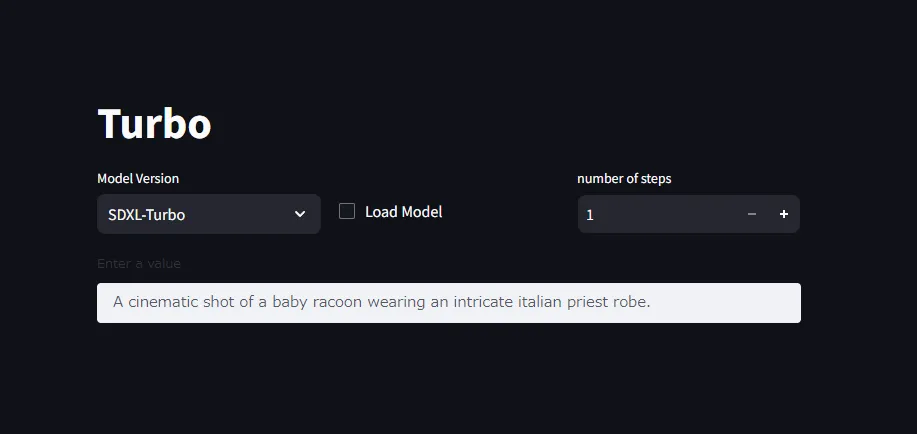
If container launch completed normally, you should be able to access the demo by accessing http://localhost:8501 in browser.
Conclusion
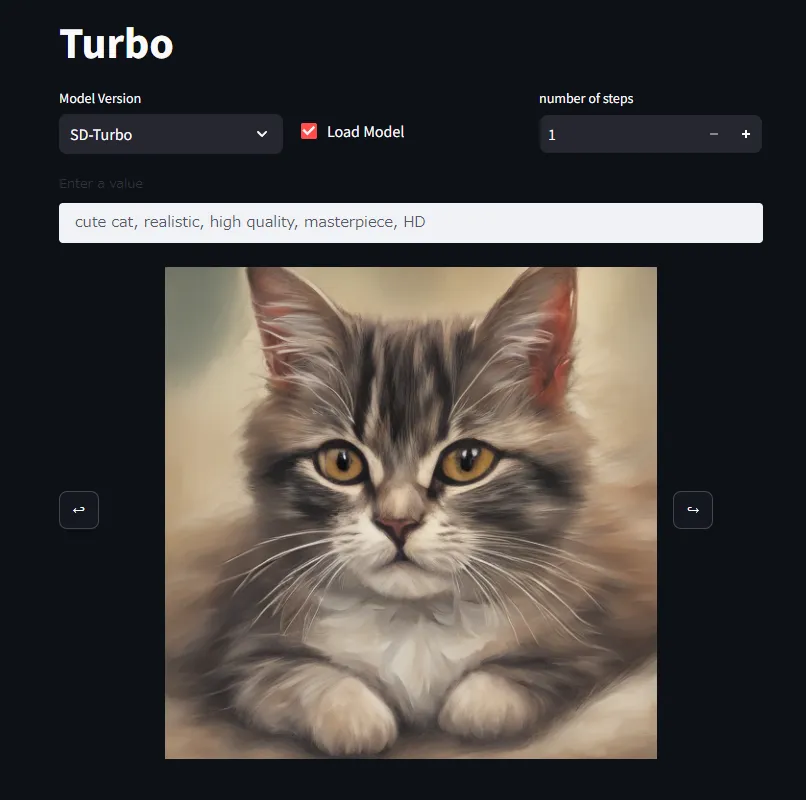
After that, if you set Model Version to your liking and Load Model, it will start inference based on value. If you increase steps, accuracy improves.
In my environment, SDXL-Turbo model loading failed (Process was killed arbitrarily during model load). If PC specs are low, I think testing only SD-Turbo is good.
My impressions after using it:
- Since it’s a model using distillation, execution speed seems relatively fast. It is happy that it comes out in a few seconds even with low specs.
- Accuracy is also close to what I hoped for considering it’s only 3, 4 steps.
[Update: 2024/08/20] Since official demo generally has poor performance like memory efficiency, executing using ComfyUI or webui is recommended.