Introduction
[!NOTE] This article was generated by feeding my chaotic, personal reading notes of this massive textbook into an AI to restructure them into a readable blog post.
We’ve locked down foundational principles in “Chapter 2: Methodology” and “Chapter 5: Applications”. Now it’s time to tackle the unavoidable reality of modern engineering infrastructure: “Chapter 11: Cloud Computing”.
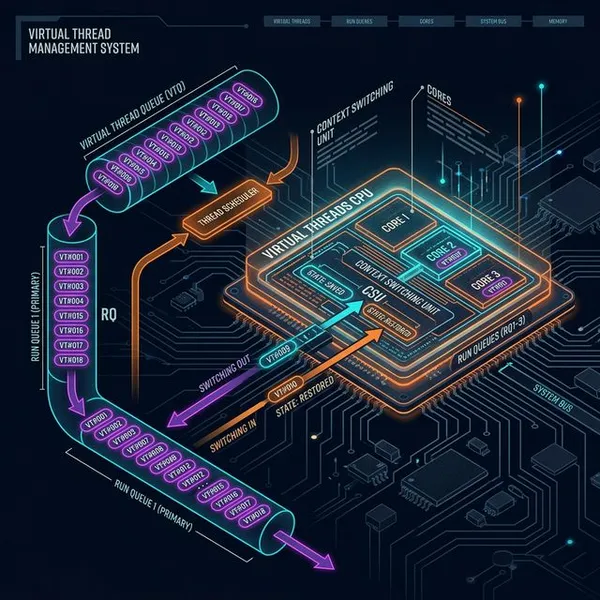
Cloud computing boasts massive benefits—instantly provisioning servers and effortlessly scaling. However, it also spawns intense, unique performance bottlenecks that didn’t exist in the bare-metal era, namely the “overhead” caused by the virtualization layer itself, and the brutal “resource contention with other tenants.”
Once again, I’m bypassing the exhaustive textbook specification lists. Instead, I’ve extracted only the absolute survival tactics you need when you inevitably scream, “Why is my app only slow in the cloud?!“
1. The Ultimate Enemy: The Invisible “Noisy Neighbor”
The defining characteristic of cloud environments (hardware virtualization like KVM, or containers) is multi-tenancy: sharing the exact same physical server hardware with complete strangers.
- The “Noisy Neighbor” Problem: Another tenant sharing your physical host might aggressively pollute your CPU caches (L1 or LLC) or steal your CPU time through massive hardware interrupts.
- The Invisible Terror: Operating systems are fiercely isolated for security. From inside your guest OS, it is physically impossible to observe what other tenants are doing or how much resource they are eating. Experiencing sudden, vicious latency spikes while doing absolutely nothing wrong yourself is just a terrifying reality of the cloud.
- Catching the Thief with “Steal Time” (
st): While you cannot directly see other tenants, you can find indirect evidence by checking thest(Steal Time) metric in tools liketop. This explicitly reveals exactly how much of your allocated CPU time is being actively stolen by the hypervisor (or noisy neighbors).
2. Navigating Cloud Features and Traps
If you operate in the cloud without understanding its unique resource management mechanics, you will inevitably fall into a trap.
Bursting
Bursting allows your instance to exceed its standard CPU “share” or “bandwidth” limits by temporarily borrowing idle resources from other tenants on the same host. While incredibly useful, it’s also a massive source of performance variance. You might experience lightning-fast speeds thanks to bursting, only for performance to suddenly cliff-dive the second your neighbors wake up and demand their CPU time back.
The Risk of Over-Provisioning
Dynamically spinning up new servers under load (like AWS Auto Scaling Groups) is brilliant, but extremely dangerous. If a malicious DoS attack—or a bad application code update that murders performance—is falsely interpreted as “legitimate load increase,” your system might infinitely scale up servers until you compile a catastrophic billing nightmare. You must always rigorously audit your scaling thresholds.
3. Detecting Container-Specific “CPU Throttling”
Linux containers (OS virtualization) are extremely lightweight. However, they are entirely governed by software limitations: “Namespaces” which restrict what a container can see, and “cgroups” which restrict what a container can use. During a benchmark, you will almost always hit these cgroup bandwidth limits long before you ever hit a physical hardware limit.
You can instantly check if your container is being choked by a bandwidth limit by peeking into files like /sys/fs/cgroup/.../cpu.stat.
- Is
throttled_timeactively increasing?: If this value is climbing, your application is being artificially paused (throttled) because it hit its allocated CPU quota, even if the physical host CPU is practically empty! Until you identify and resolve this cgroup throttling, optimizing your application code will yield zero throughput improvement.
4. Don’t Let Observability Tools Deceive You
Legacy Linux observability tools (like top or uptime) were designed exclusively for bare-metal hardware. They are completely oblivious to software-enforced container limits (like cgroups).
If you run uptime from inside a container, you are often not looking at “the container’s specific load average”—you are actually looking at the entire physical host’s load average. The first step to surviving cloud troubleshooting is actively doubting your tools. You must always wonder, “Are the metrics I’m reading inside this container actually mine?”
- The Nightmare of PID Mismatches (Namespace Traps) Due to security isolation, a process inside a container might see itself boldly running as “PID 1” in its own PID namespace. However, to the underlying physical host OS, that exact same process is assigned a completely different, massive PID (like 24500). If you ever jump onto the physical host to debug and profile “that specific container process,” you will instantly encounter the utter despair of trying to map the container’s isolated PID to the host’s real PID.
Conclusion
Studying Chapter 11 illuminates exactly why evaluating cloud benchmarks is terrifyingly convoluted. It reveals the exact logic behind mysteries like “Why did my latency abruptly spike when I literally did nothing?” (neighbor tenant interrupt polling) and “Why is it impossible to reach expected throughput?” (software-enforced cgroup CPU throttling).
To be brutally honest, outside of the virtualization mechanics I already knew, I definitely couldn’t absorb all of this in one go. I started reading this chapter purely out of casual curiosity, but it turned out to be far heavier than I ever expected. However, the next time I encounter mysterious delays in the cloud, I definitely have the muscle memory to aggressively check throttled_time and blame Noisy Neighbors first!