- Astro
- Cloudflare
- WordPress
- Github
- Migration
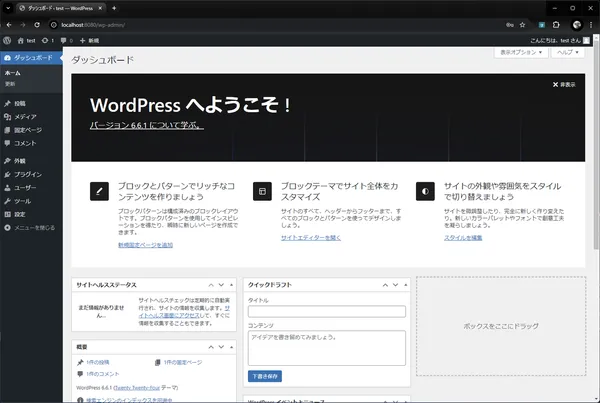
I canceled the WordPress and Sakura Rental Server I had used for many years. From now on, I will operate this blog with a so-called “modern” configuration: Astro + Cloudflare Pages + Git.
If asked, “Why change?”, there are several reasons. Wanting to save server costs, getting tired of logging into the WordPress admin panel, too much spam, or just it being too heavy. But the biggest reason might be the engineer-specific ego of “wanting to put everything under my own control,” “making it blazingly fast,” and “wanting to write in Markdown.”
The migration work was reasonably difficult, so I’m writing down the procedure and pitfalls as a memorandum.
The Overall Flow
Here’s roughly what I did.
- Preparation for Escape: Yank data from WordPress on Sakura Rental Server. Convert to Markdown by sheer willpower.
- Development: Build the blog site with Astro. This took the longest.
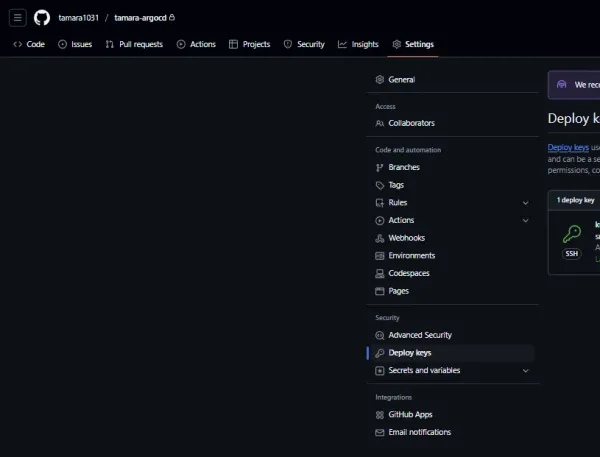
- Deployment: Push to GitHub and deploy to Cloudflare Pages.
- Infrastructure: DNS settings on Cloudflare.
- Cleanup: Cancel Sakura Rental Server. Goodbye, fixed costs.
The infrastructure part ends with just “clicking around,” but “2. Development” and “Data Migration” were indeed tough.
Pitfalls in Development & Migration
Astro is great, but unlike WordPress, it’s not “install a plugin and you’re done.” It’s a continuous stream of “Ah, that’s missing,” and “Do I have to build this myself too?“
1. Migrating and Formatting Article Data
Converting WordPress export data to Markdown is one-shot with tools, but the contents are quite messy. HTML tags mixed in, mysterious shortcodes remaining.
Especially troubling was the “No Article Description” problem. Since I hadn’t set meta descriptions properly on the original blog, the post list after migration looked lonely. I gave up on scraping HTML because the structure was all over the place. Finally, I solved it with the brute force method of “extracting descriptions from past RSS feeds.”
2. Design and Implementation (Vibe Coding)
For design and frontend implementation this time, I used the trendy “Vibe Coding.” Throw “Make it look cool” or “Make it sleek” to the AI, and apply the returned code. The following features were entirely built with AI.
- Link Cards: My own implementation that detects URL-only lines with regex, fetches Open Graph data, and makes a nice card.
- Mobile Support: Handling issues where formulas or URLs overflow the screen on mobile with
overflow-x: auto. - Premium UI: Transparent headers, dark mode, TOC (Table of Contents) that follows scrolling, etc.
So, how was it actually?
The Good of Vibe Coding
- Blazingly Fast: Overwhelmingly fast. Minutes from “I want to make component X” to having something working.
- No Design Literacy Needed: Say “Make it modern,” and a design that looks like it comes out.
- Leave Tedious Tasks: It writes regex (like URL detection) that I don’t want to write myself in an instant.
The Difficulty of Vibe Coding (Cleaning Up)
- Inconsistency: AI gives the optimal solution “for that spot,” but doesn’t look at overall unity or consistency. It tends to become a patchwork of parts.
- Brief Debugging Pain: Code written by AI is, so to speak, “code written by someone else.” When it doesn’t work, tracing why is quietly stressful.
- For example, the TOC highlight linked to scrolling worked slightly weirdly, and I ended up debugging and fixing it myself.
- Infinite Loop of Tweaking: Repeating “Close, but not quite” makes you suspect, “Wouldn’t it have been faster to write this myself?”
I intended to slack off, but ended up spending time “wiping the AI’s butt,” tasting a modern irony of putting the cart before the horse. Well, that’s fun in its own way.
Review by Tech Stack (Selection Reasons and Pros/Cons)
The combination of “Astro,” “Cloudflare Pages,” and “GitHub” adopted for this migration. Personally, I think it’s the optimal solution for an “engineer’s blog” right now, but I can’t recommend it to everyone. I summarized the reasons for each selection and the pros/cons I felt after actually using them.
1. Astro
Selection Reason: Number one was “I want to make a blazingly fast static site,” but being SSG (Static Site Generation) meant I could easily deploy to free hosting services (Cloudflare Pages), which was also huge. React or Vue is too heavy for a blog, and Next.js is overkill. I was also attracted to Astro’s philosophy of “Islands Architecture” (don’t send JS to the client unless necessary). The deciding factor was that Astro’s Content Collections API was extremely convenient for managing articles in Markdown. Handling Markdown file loading and type definitions was overwhelmingly easy.
- Good:
- Blazingly Fast: Even with sloppy implementation, Lighthouse scores near 100. Loading is instant because there’s no extra JS.
- Content Collections: Formatting Markdown frontmatter with type definitions is revolutionary. Prevents mistakes like “forgot the date.” Plus, fetching Markdowns in a directory with
getCollection()is awesome. No DB connection or complex queries needed; creating a post list is a breeze. - DX (Developer Experience):
.astrofiles can be written intuitively and have high affinity with Markdown.
- Bad:
- “DIY Everything” Resolve: Pagination, related posts, tag lists… functions that are one plugin in WordPress require you to write logic yourself.
- Weak Dynamic Features: If you want comments or search, you have to rely on external services (like Giscus) or client-side JS.
2. Cloudflare Pages
Selection Reason: “Free” and “Blazingly Fast.” Also, I wanted to bundle DNS (Cloudflare) and hosting in the same place. Vercel was a candidate, but for a personal blog, I had an image that Cloudflare could be used more roughly without worrying about bandwidth limits. Also, GitHub Pages prohibits commercial use (linking AdSense might violate terms), so I chose Cloudflare Pages which lacks that concern.
- Good:
- Super Easy: Just link the GitHub repository, and it builds and deploys automatically on Push.
- Edge Benefits: The CDN is excellent, so it’s fast (supposedly) from anywhere in the world.
- Smooth DNS Settings: Completed within the same Cloudflare ecosystem, so domain settings and HTTPS took mere clicks.
- Bad:
- Black Box Build Environment: When it works locally but fails on Pages due to environment variables etc., tracing logs was a bit tough.
3. GitHub (as CMS)
Selection Reason: The ego of “I don’t want to hold a database” and “I want to version control article data along with code.” I wanted to be liberated from the curse of “Must backup WordPress DB…”
- Good:
- Complete Version Control: Even if I think “The previous text was better,” I can revert immediately with Git. History is a bundle of peace of mind.
- Offline Writing: Even on a plane without net, I can write articles as long as I have VS Code.
- Familiar Editor: No need to fight with browser rich text editors. I can write comfortably with Vim bindings.
- Bad:
- Mobile Writing Hurdle: “Fixing while lying in bed on smartphone” became dramatically frustrating. Possible with GitHub Mobile app or Working Copy, but can’t beat the ease of the WordPress app.
- Image Handling: Cannot “drag and drop to upload images.” Placing files in folder, writing paths… tasks are quietly tedious.
⚠️ Directory Structure Details Coming Next Time
Some might wonder, “So, what’s inside the actual repository?” I plan to write details (Repository/Directory Structure Edition) like Astro’s directory structure and deployment methods in another article. Please forgive me that this is just an “Overview of Migration.” Next time, I’ll deliver content stepping a bit deeper for engineers.
(Update: I wrote it!) https://blog.otama-playground.com/en/posts/20260111/202601111600
Conclusion
It was a few days of putting the cart before the horse, “results in no time left because I migrated while Vibe Coding to try to slack off,” but what I gained was significant. From now on, I intend to write tech articles and miscellany in a comfortable environment.
If anyone is considering migrating from WordPress, I hope this helps.